Family photos, stories, chats and video calls

Post for the people who’d put it on the fridge.

A private place for your family, on iPhone and iPad. Start your home, invite the people you love, and decide for yourself which homes sit at your table. Nothing is public. Nothing is for sale.

For iPhone and iPadComing to the App StoreQuestions? Email us
  • No ads
  • Invite only
  • End-to-end encrypted chats and calls
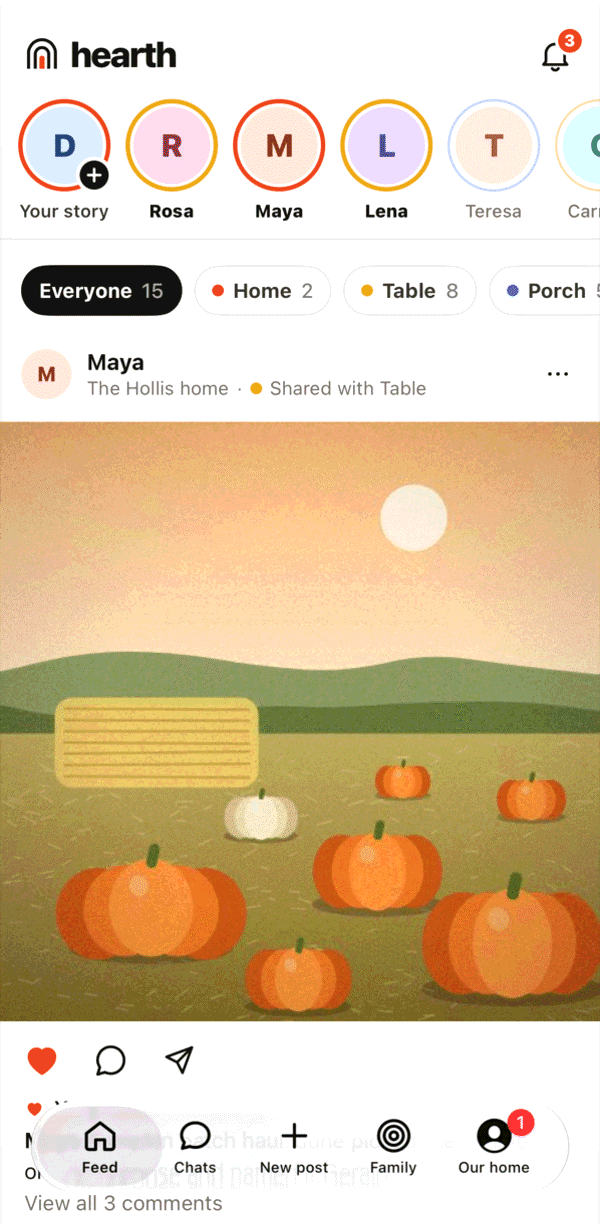
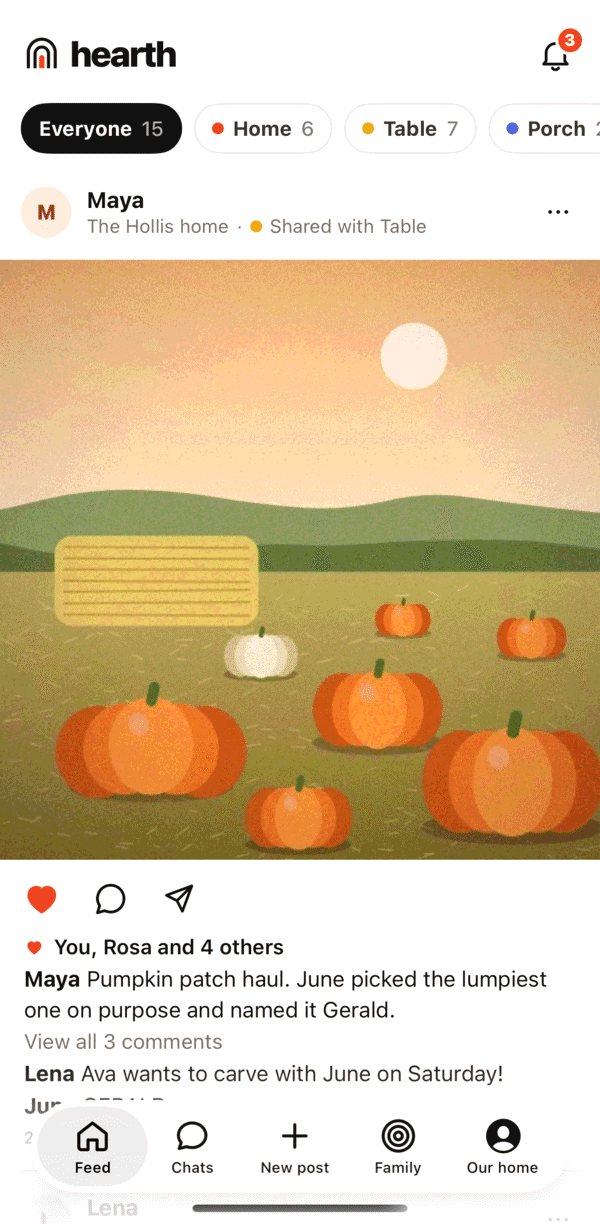
The hearth feed: a square photo of pumpkins from Maya, shared with Table, with hearts and comments.

Who sees what

Three rings. You decide who sits where.

Every post goes to one ring, or to homes you pick. The rings are drawn around your home, by you.

Home

The people under your roof

Bath-time videos, report cards and the permission slip on the counter.

Table

Your home, plus the homes at your table

Family you’d have over for Sunday dinner. Most posts go here.

Porch

Your table, plus the homes on your porch

Family you love and see at weddings: great-aunts, cousins, the holiday-card list.

Your labels stay in your home. Whether a home is at your table or on your porch is your own choice. Other homes never see how you’ve labeled them, nobody is told when you change it, and they make their own private choice about you.

How it works

Every invite starts a new home.

Families grow one home at a time. There’s no friend list and no sign-up page for strangers.

  1. Start your home

    Sign in with Apple, name your home and add the people who live with you. Kids get accounts you manage.

  2. Invite another family

    Send your parents a link. They start a home of their own, linked to yours, and you choose privately whether it sits at your table or on your porch.

  3. They choose for themselves

    Their home makes its own private choice about yours. Neither home sees the other’s, and either can change it quietly later.

What’s in it

A feed, stories, chats and calls for every ring.

Posts

Photos and videos, for exactly the people you pick.

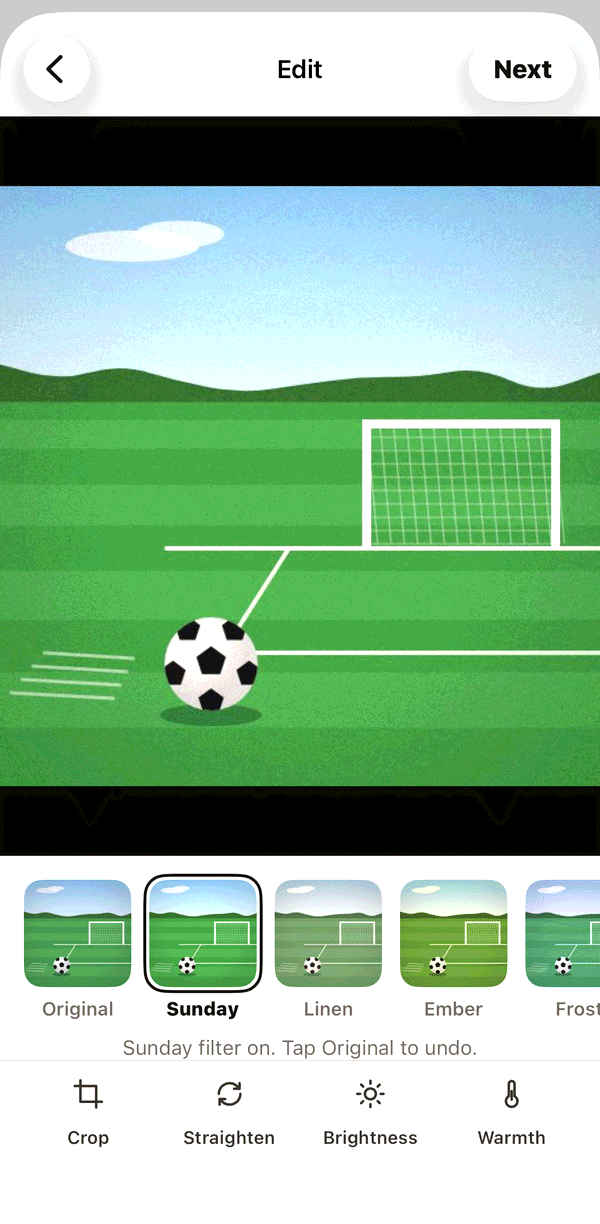
  • Six filters, crop and straighten. Every photo post is square, so nothing gets cut off in the feed.
  • Choose Home, Table or Porch, or pick homes one by one.
  • A feed in order, newest first, that ends when you’ve seen everything. No algorithm.
How it works in the guide

Editing a photo with the Sunday filter, with Crop, Straighten, Brightness and Warmth.
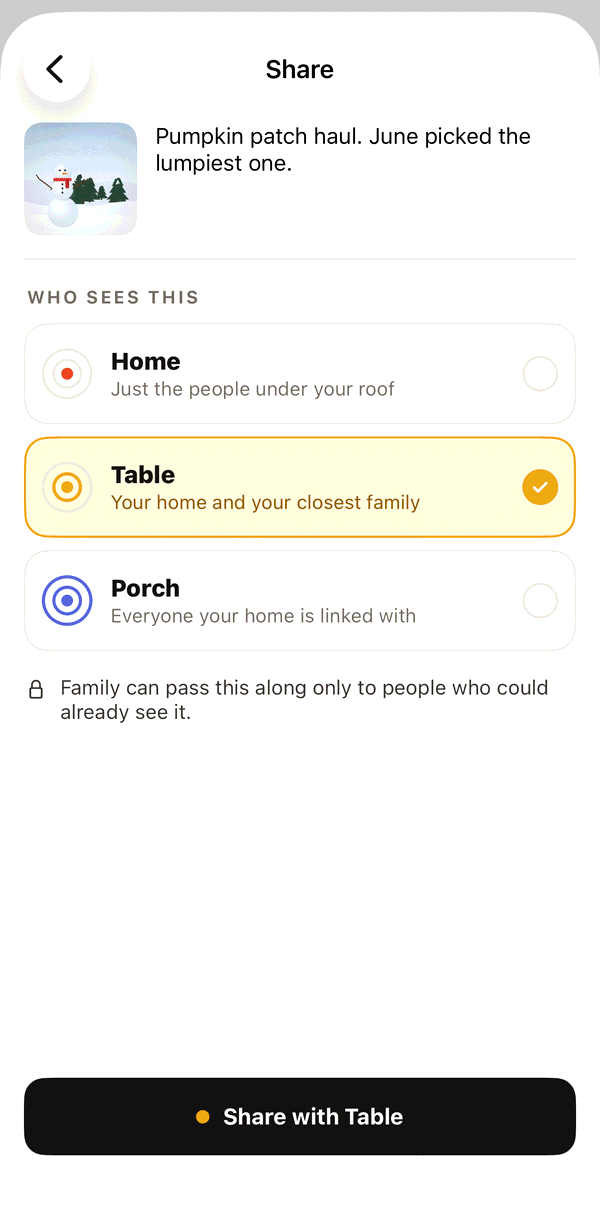
Choosing who sees a post: Home, Table or Porch, with Share with Table.

Stories

The little things, gone in 24 hours.

  • A photo or a clip of up to 15 seconds, for any ring.
  • The color around each person shows how close they are to you, by your own labels. Only you see it.
  • Replies go privately to the person who shared it, never onto the story.
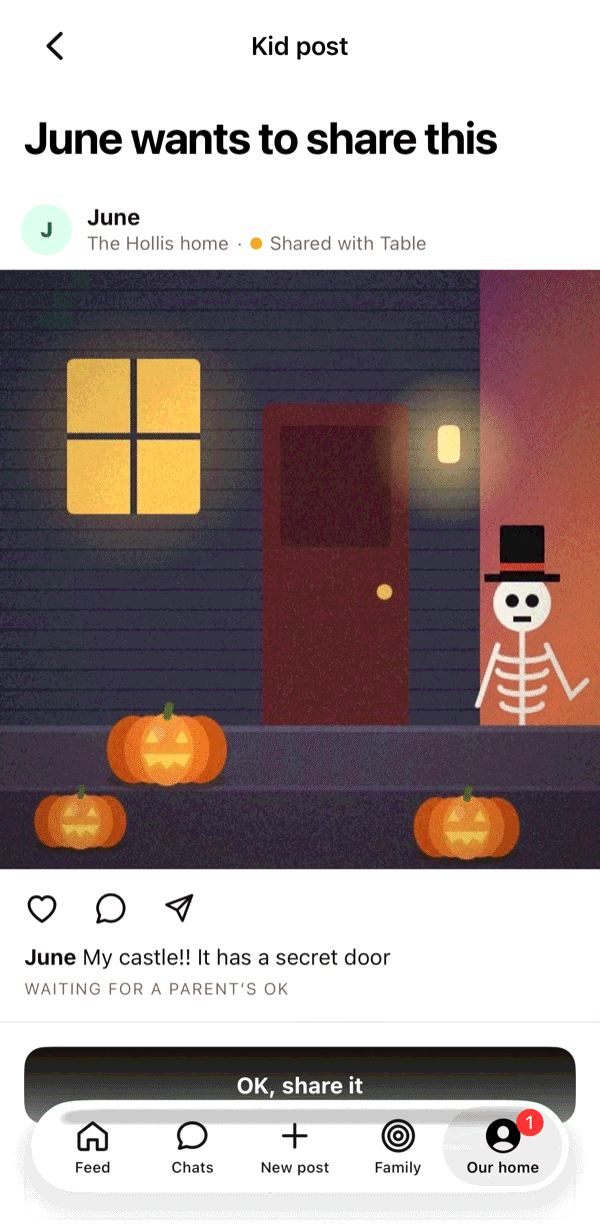
  • A kid’s story for the table waits for a parent’s OK.

How it works in the guide

The story row at the top of the feed, with colored circles for each person.
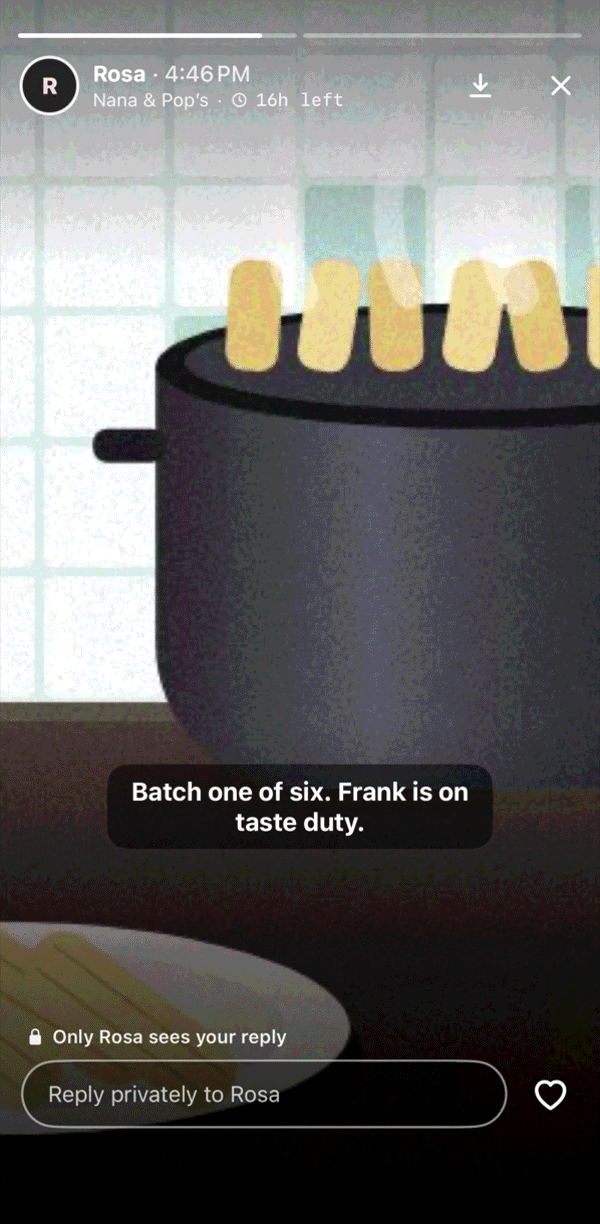
Watching Rosa’s story of a pot of tamales, with Reply privately.

Chats and calls

Every chat and call is end-to-end encrypted.

  • Chats with anyone in your home and the homes you’ve linked, plus short video messages.
  • Light the hearth to start a call anyone in the chat can drop into. It shows on their Lock Screen.
  • Schedule the Sunday call, with a reminder, and have it ring like a phone call.
  • Send a post to a chat only where everyone could already see it. Posts move inward, never outward.

How it works in the guide

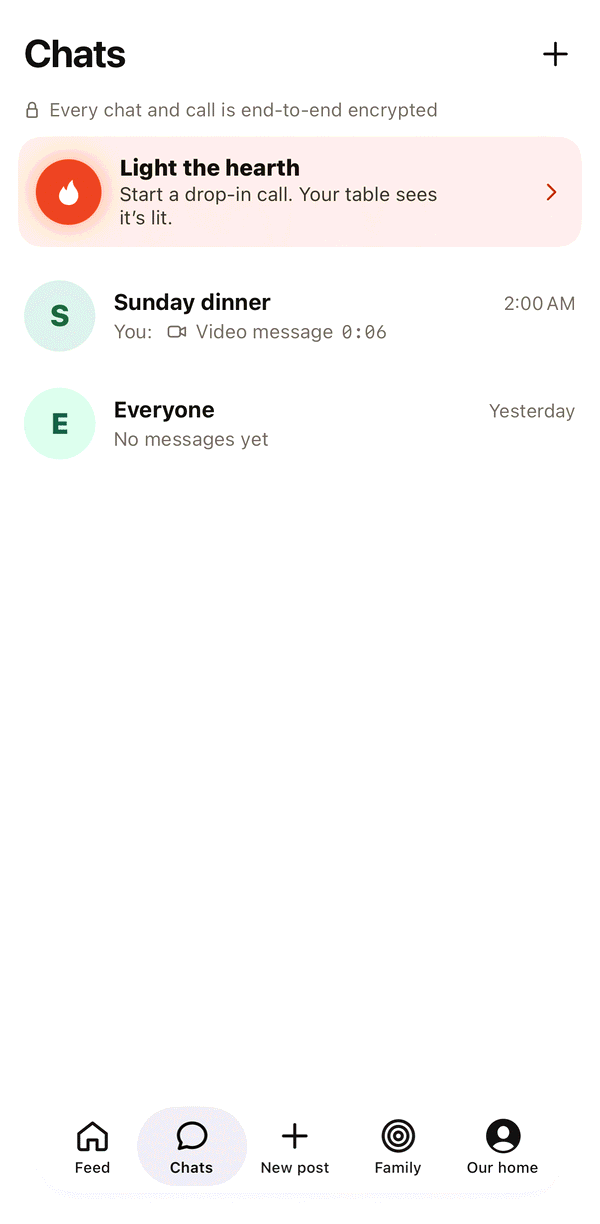
The Chats tab with a Light the hearth card at the top.
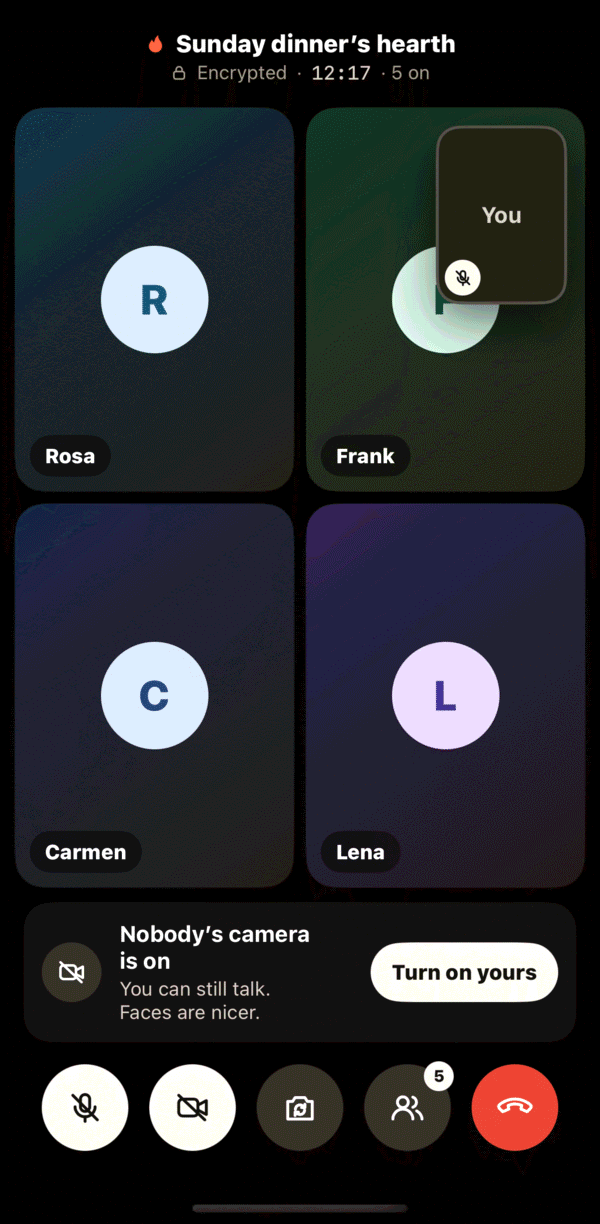
A video call with Rosa, Frank, Carmen and Lena.

Events

Trips and big weekends, with their own chat, album and map.

  • Invite people one by one, plus guests from outside the family, for that event only.
  • Share your location if you want to, only during the dates, precise or approximate.
  • When it’s over, the chat closes and location stops. The album stays for everyone who went.

How it works in the guide

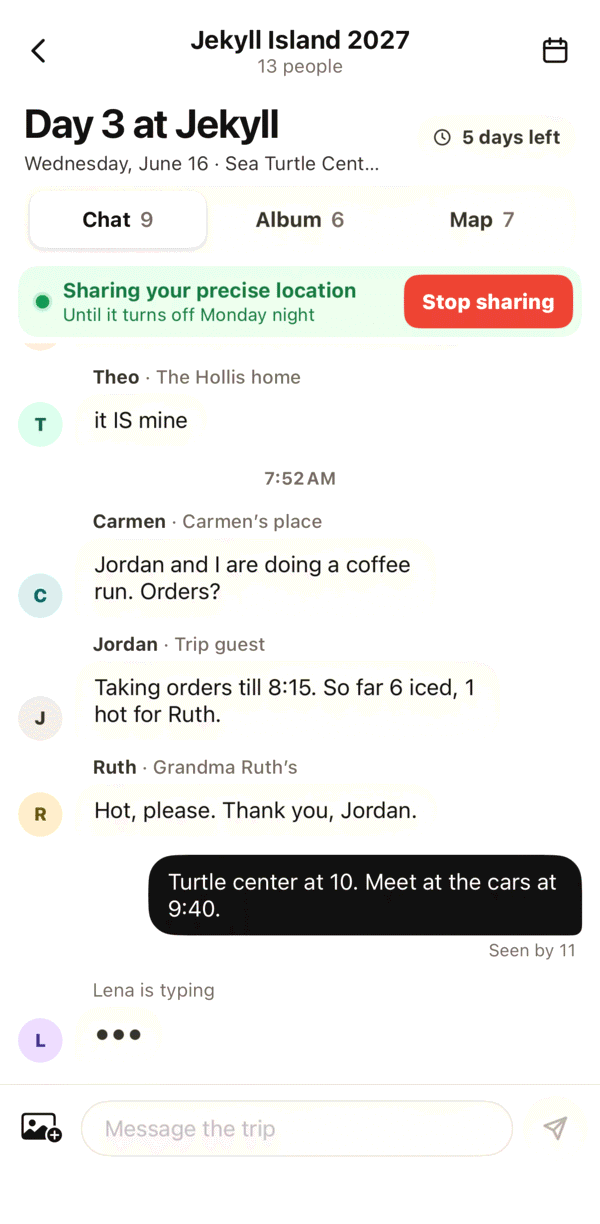
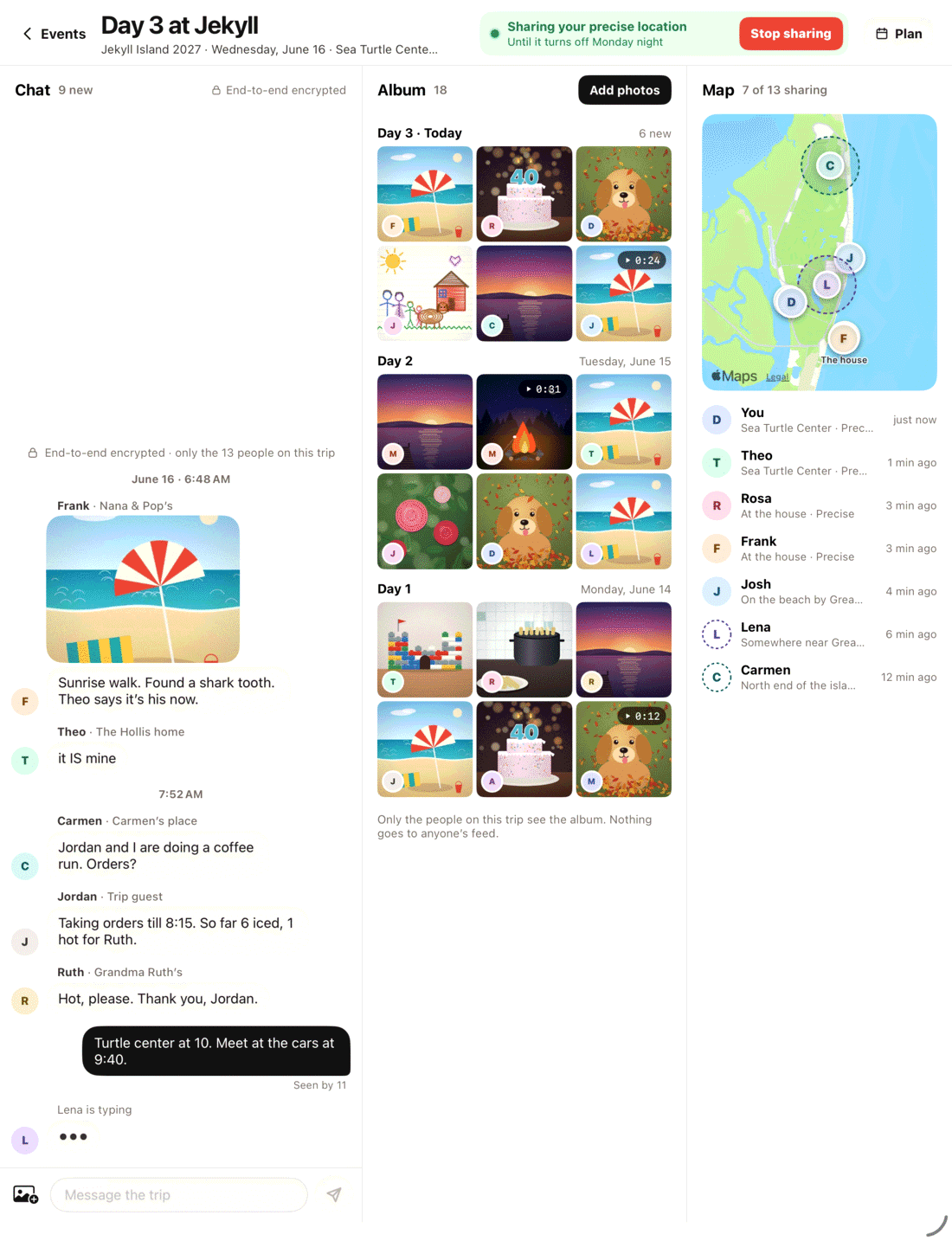
Day 3 at Jekyll Island: the event’s chat, album and map.
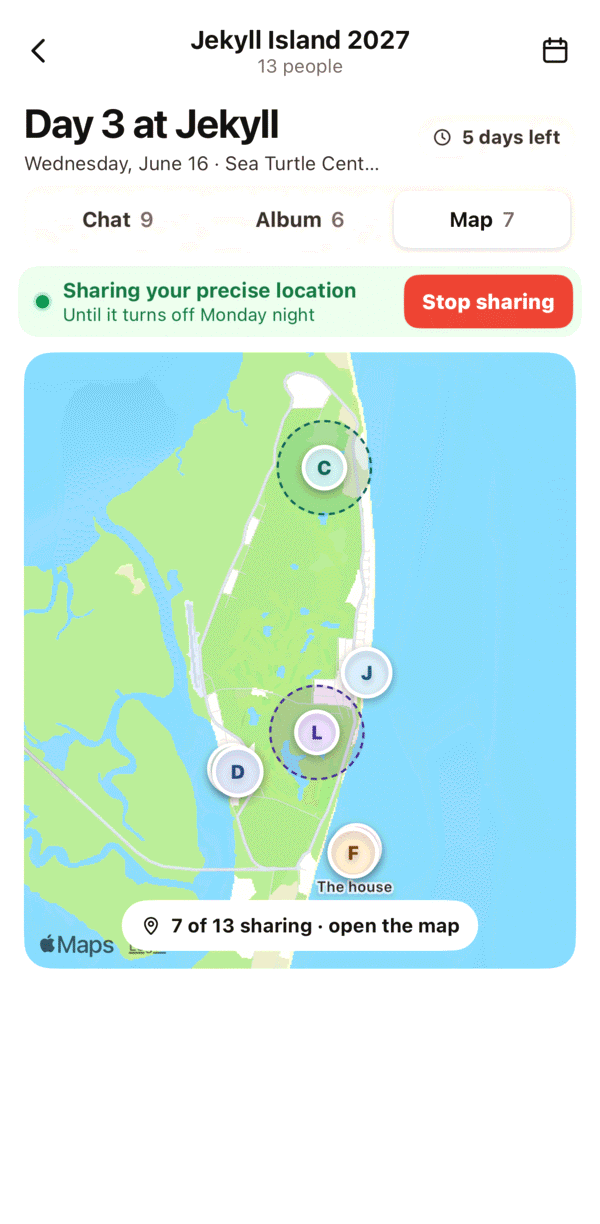
The event map with family sharing their location.

Kids

Accounts for kids under 13, with you holding the keys.

  • You create the account and pair their iPad with a code. No email, no password.
  • Posts to Home go straight through. Posts to your table wait for a parent’s OK.
  • No porch until 13. Quiet hours from 8 PM to 7 AM.

How it works in the guide

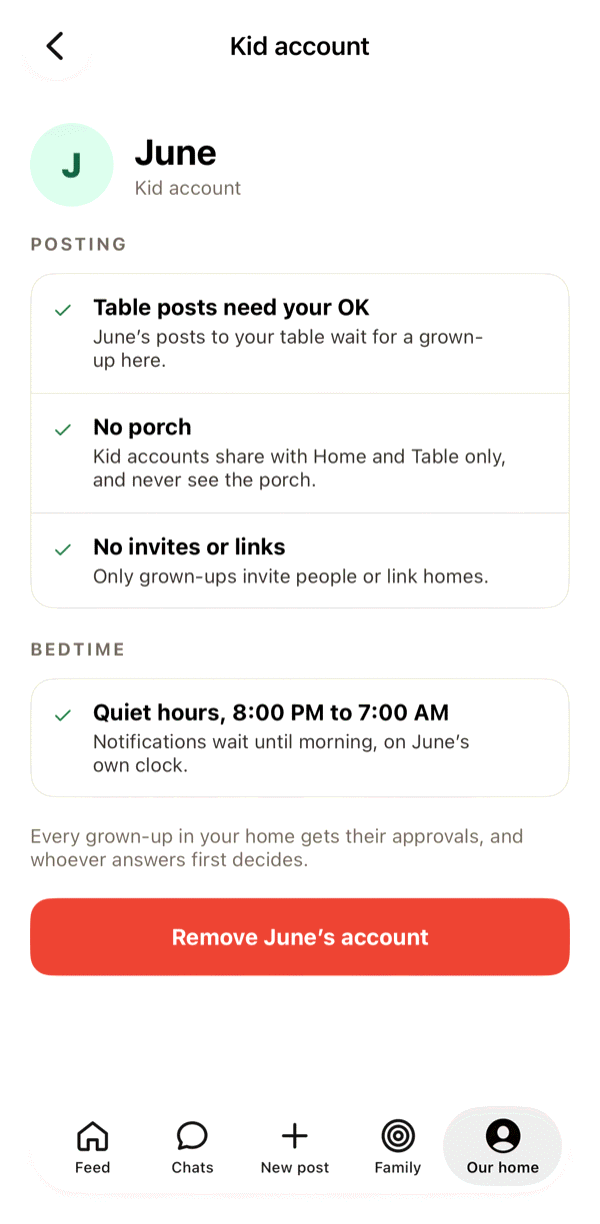
June’s kid account: table posts need your OK, no porch, quiet hours.
June wants to share a drawing with the table, waiting for a parent’s OK.

Simple mode

For grandparents: bigger words, fewer buttons.

  • What’s new from the family, in big type.
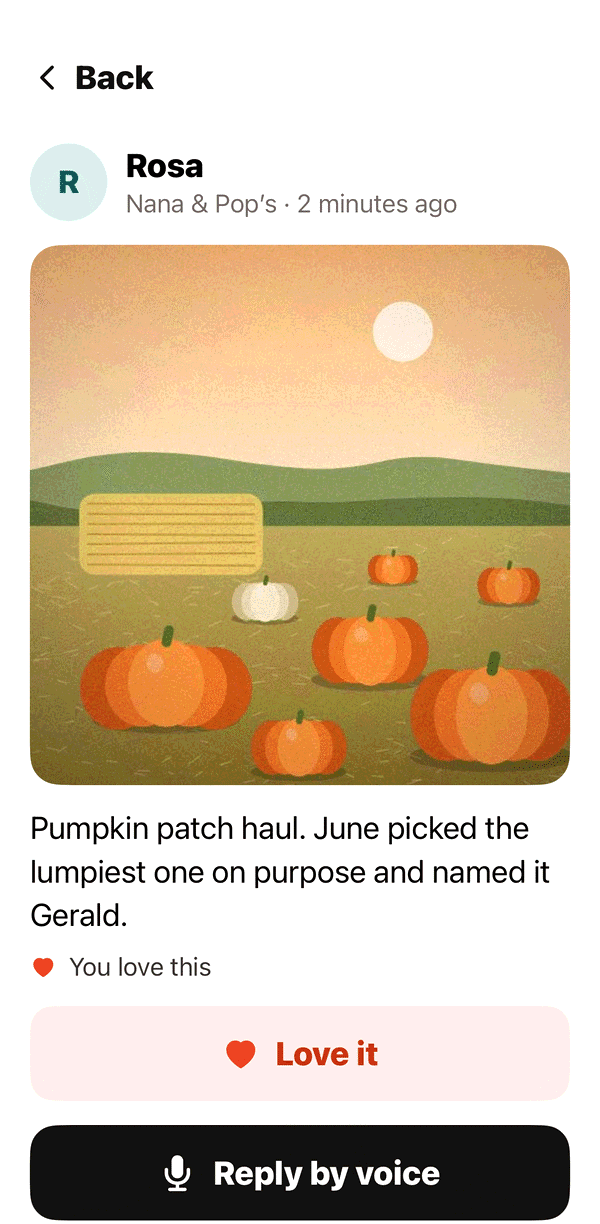
  • Love it and Reply by voice instead of typing.
  • One button that calls everyone at your table.

How it works in the guide

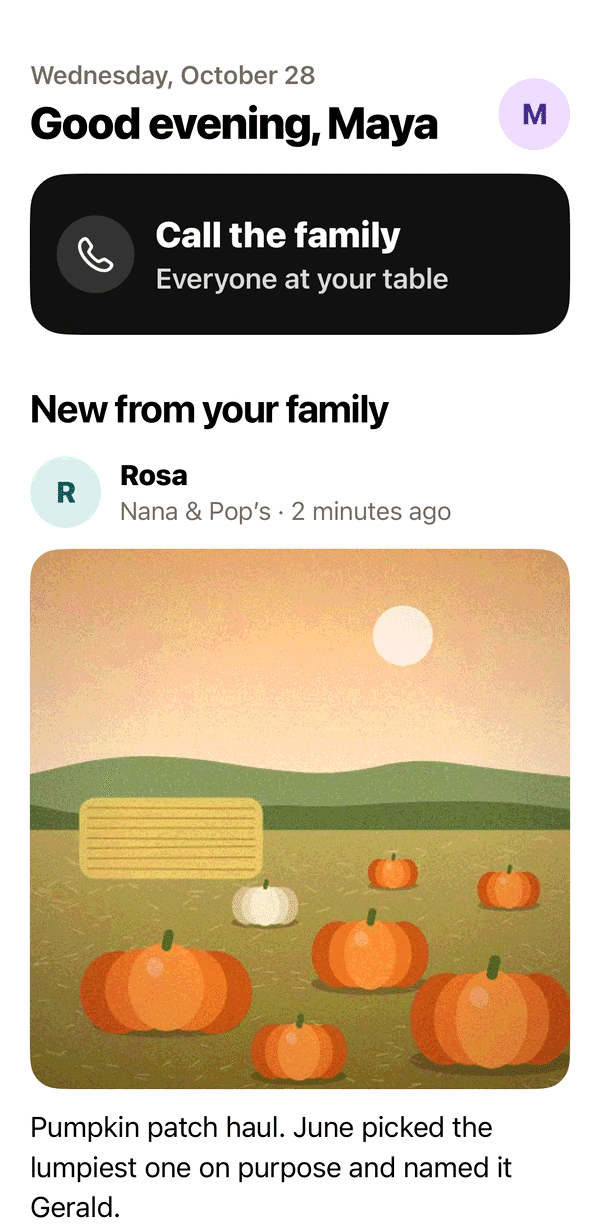
Simple mode with a big Call the family button.
A photo in Simple mode with Love it and Reply by voice.

And more

Small things that matter to families.

On this day

Posts from this day in earlier years show up in your feed. Share your own again with one tap.

Widgets and Lock Screen

The newest photo on your Home Screen, and a card on your Lock Screen when the hearth is lit.

Suggestions

Homes your family is linked with can be suggested to you. Nothing links unless both homes say yes.

Families change

Someone moving out, a home splitting in two, or remembering someone who died. There’s a way for each.

Report and block

Report a post to a person on our team, or block someone quietly. Nobody is told.

Up to two homes

A kid whose parents live apart can belong to both homes, each with its own rules.

iPad

Made for iPad too, down to the kitchen counter.

There’s a real iPad layout, from the feed to an event’s chat, album and map side by side. Turn an iPad into a hearth Frame and it plays Home and Table photos, never Porch. Pairing a spare iPad as a frame of its own is on the way.

hearth on iPad: an event with its chat, album and map side by side.

What you won’t find on hearth.

We’re IdleFusion, a small studio, and we make hearth for families, not advertisers. We don’t sell ads or data, so none of this has to exist.

  • Ads
  • Strangers
  • Public profiles
  • A search box
  • Follower counts
  • Reshare buttons
  • An algorithm choosing what you see
  • Your photos training anyone’s AI

Privacy

Private by design, not by a setting.

End-to-end encrypted

Chats, video messages, calls and trip locations are encrypted on your devices. Nobody at hearth can read or watch them.

Labels never leave your home

Table and Porch are your home’s own labels. Other homes are never told where they sit.

Checked every time

Photos and videos go only to homes you shared with, checked each time they’re viewed. Narrow a post and it’s gone from the others at once.

Invite only

Every account starts from an invite or a parent. Invites work once and expire in 7 days. Location is stripped from photos on your phone.

Read the privacy policy

FAQ

Questions families ask.

More in the FAQ and the guide.

Will another home know whether they’re at my table or on my porch?

No. Table and Porch are your home’s own labels, and they never leave your home. Other homes see the posts you share with them, never the label you picked for them. They make their own private choice about your home, and you never see theirs.

Who sees what I post?

Only the ring you pick when you share it: Home, Table or Porch, or homes you choose one by one with Choose homes. Each post shows you where it went, like “Shared with Table”. Nothing on hearth is public, and there’s no reshare button.

What can kids share?

Posts and stories to Home go straight through. Anything for your table waits for a parent’s OK. Kids can’t share with the porch until they turn 13, can’t pick homes one by one, and can’t invite people or link homes.

Is there an easier version for my parents?

Yes, Simple mode. It shows bigger words and fewer buttons: what’s new from the family, a big Love it, a Reply by voice, and one button that calls everyone at your table. Turn it on in Our home, then Settings, then Simple mode. A grown-up can turn it on for anyone in their home.

Can strangers find us?

No. There’s no search, no public profile and no way to browse. The only way in is an invite from someone already in your family, and invites work once and expire in 7 days.

When can we get it?

We’re testing hearth with a small group of families now, and it’s coming to the App Store. If you have questions in the meantime, email us at support@idlefusion.com.

Coming to the App Store.

We’re testing hearth with a few families right now. It’ll be in the App Store for iPhone and iPad soon. Questions before then? Write to us and a person will answer.

For iPhone and iPadComing to the App StoreQuestions? Email us